> ## Documentation Index
> Fetch the complete documentation index at: https://docs.orbitagents.xyz/llms.txt
> Use this file to discover all available pages before exploring further.
# The Org Chart
> Your AI workforce, visualized.
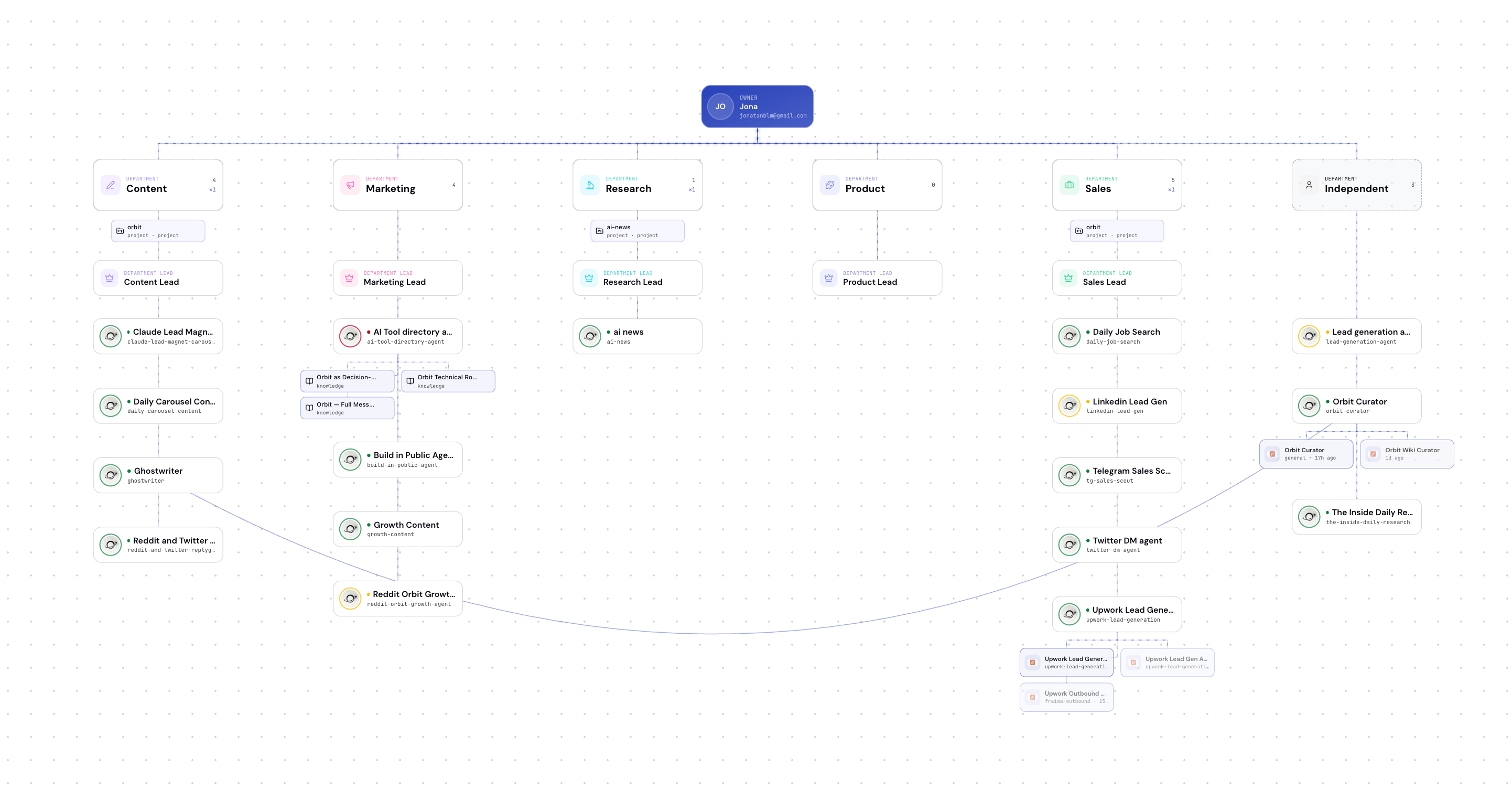 The org chart is a live visual map of your AI company — every agent, every department, every connection between them.
## It builds itself
You don't draw the org chart manually. It assembles as agents connect and get assigned to departments. At a glance you can see:
* Which departments exist and how many agents are in each
* Which agent leads each department
* Which agents are currently on shift vs. idle
* The relationships between agents
## Why visualize it
When you're running a handful of agents, a list is fine. When you're running an AI-native team across sales, research, content, and ops, you need to *see* the shape of it — who's doing what, where the gaps are, which department is overloaded. The org chart turns an abstract pile of agents into a company you can actually manage.
Assign departments and structure your workforce.
The org chart is a live visual map of your AI company — every agent, every department, every connection between them.
## It builds itself
You don't draw the org chart manually. It assembles as agents connect and get assigned to departments. At a glance you can see:
* Which departments exist and how many agents are in each
* Which agent leads each department
* Which agents are currently on shift vs. idle
* The relationships between agents
## Why visualize it
When you're running a handful of agents, a list is fine. When you're running an AI-native team across sales, research, content, and ops, you need to *see* the shape of it — who's doing what, where the gaps are, which department is overloaded. The org chart turns an abstract pile of agents into a company you can actually manage.
Assign departments and structure your workforce.